Getting Started
4 min read
Creating Your Account
Set up your business account, verify your email, and access the platform for the first time.
Overview
GetDigitalContent starts with a simple signup flow designed for business owners and marketing teams.
Steps
1
Open the marketing site and select **Start Free Trial**.
2
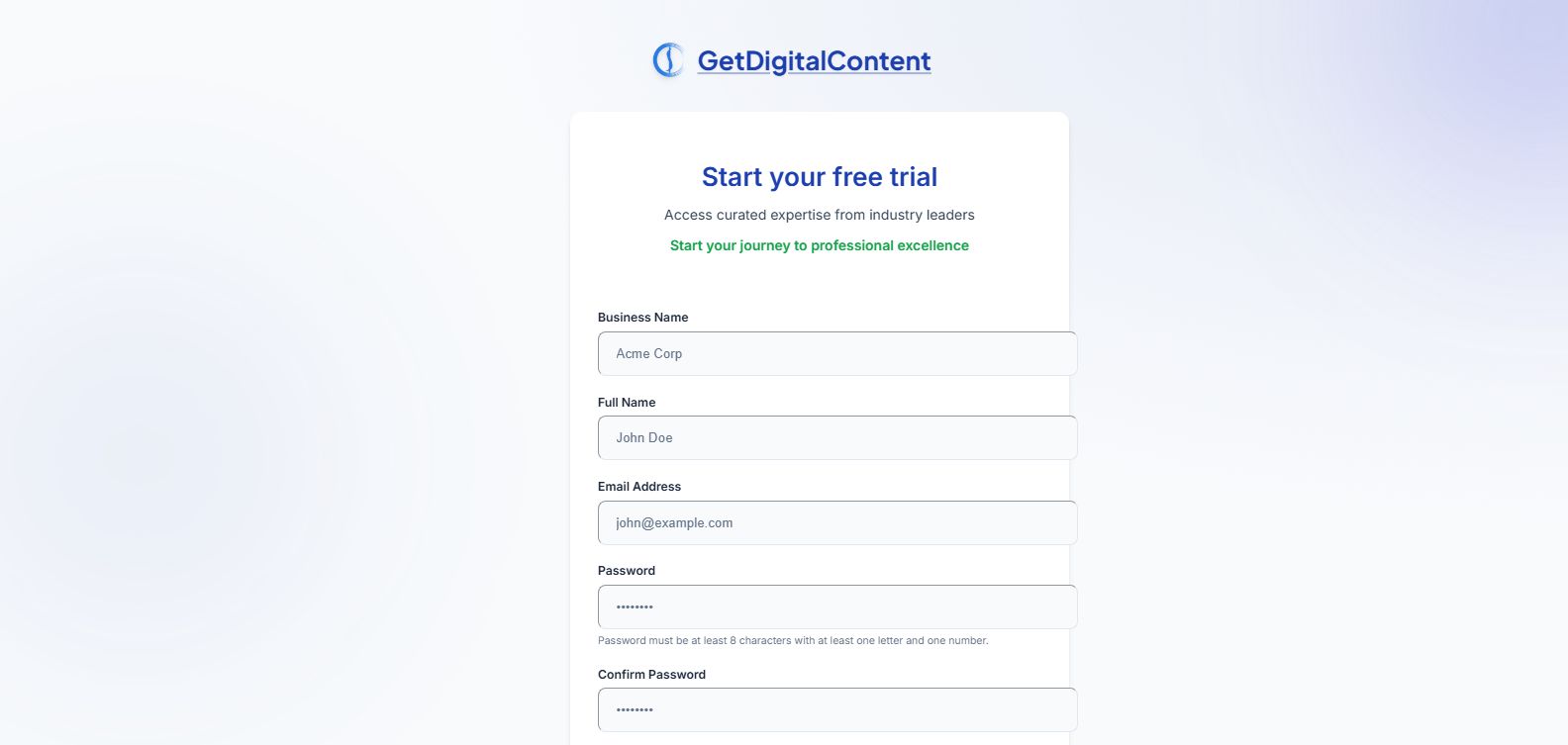
Enter your business name, first name, last name, email, password, and timezone.
3
Complete the anti-bot verification.
4
Submit the form and watch for the verification email.
5
Confirm your email to activate the account.
Screenshot Checklist
Tips
- Use a business email if possible.
- Your timezone affects content scheduling and publishing.
Feedback
Was this article helpful?
Your selection is saved in this browser so you can quickly rate support content as you work.
Keep Going
Related Articles
Verifying Your Email
Activate your account and troubleshoot expired or missing verification links.
Open articleLogging In and Out
Sign in, sign out, and reset your password when needed.
Open articleUnderstanding Your Dashboard
Learn where your plan, category strategy, and recent content activity appear.
Open article
Verifying Your Email