Campaigns
4 min read
Creating Your First Campaign
Launch a new weekly campaign using a theme, schedule window, and approval mode.
Steps
1
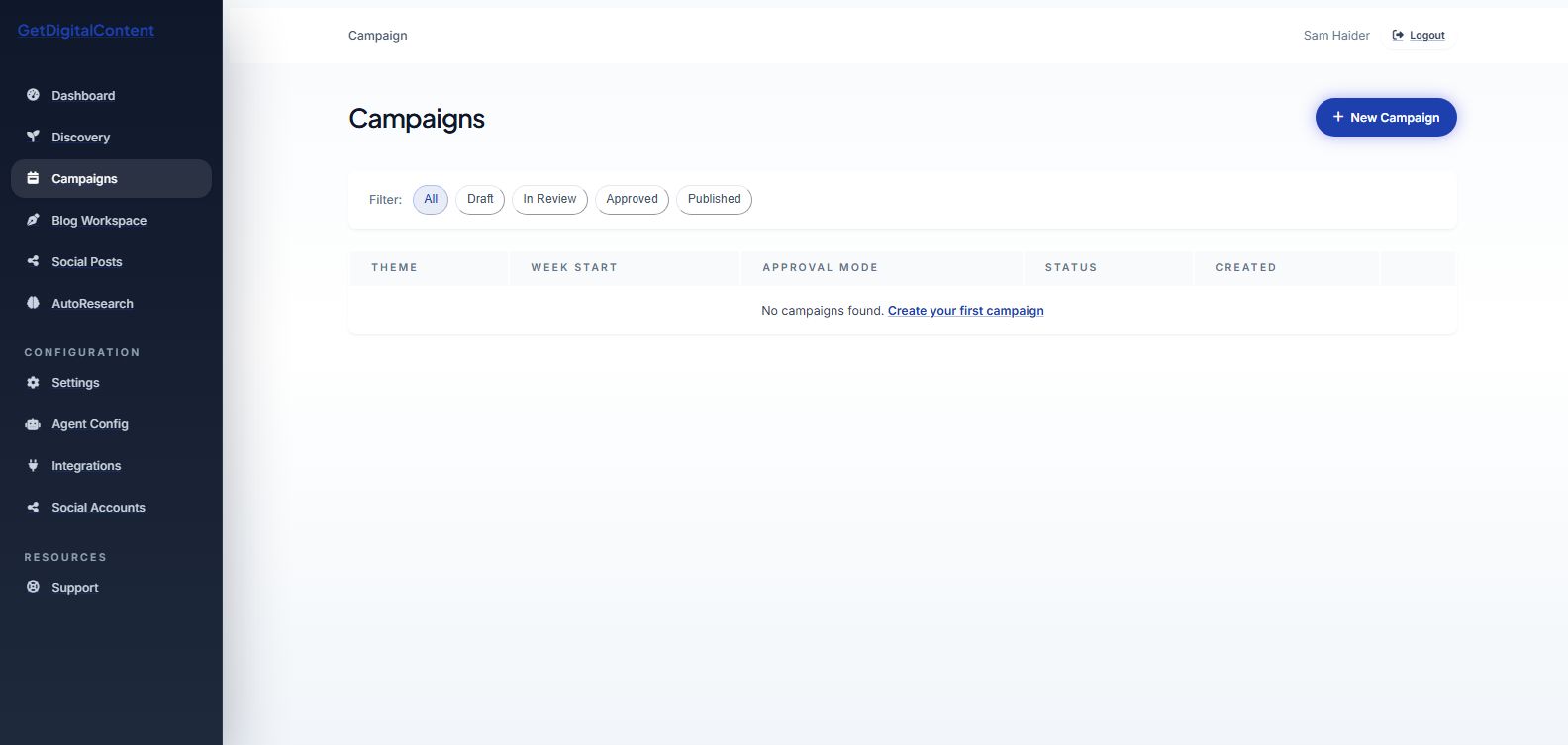
Open Campaigns and create a new campaign.
2
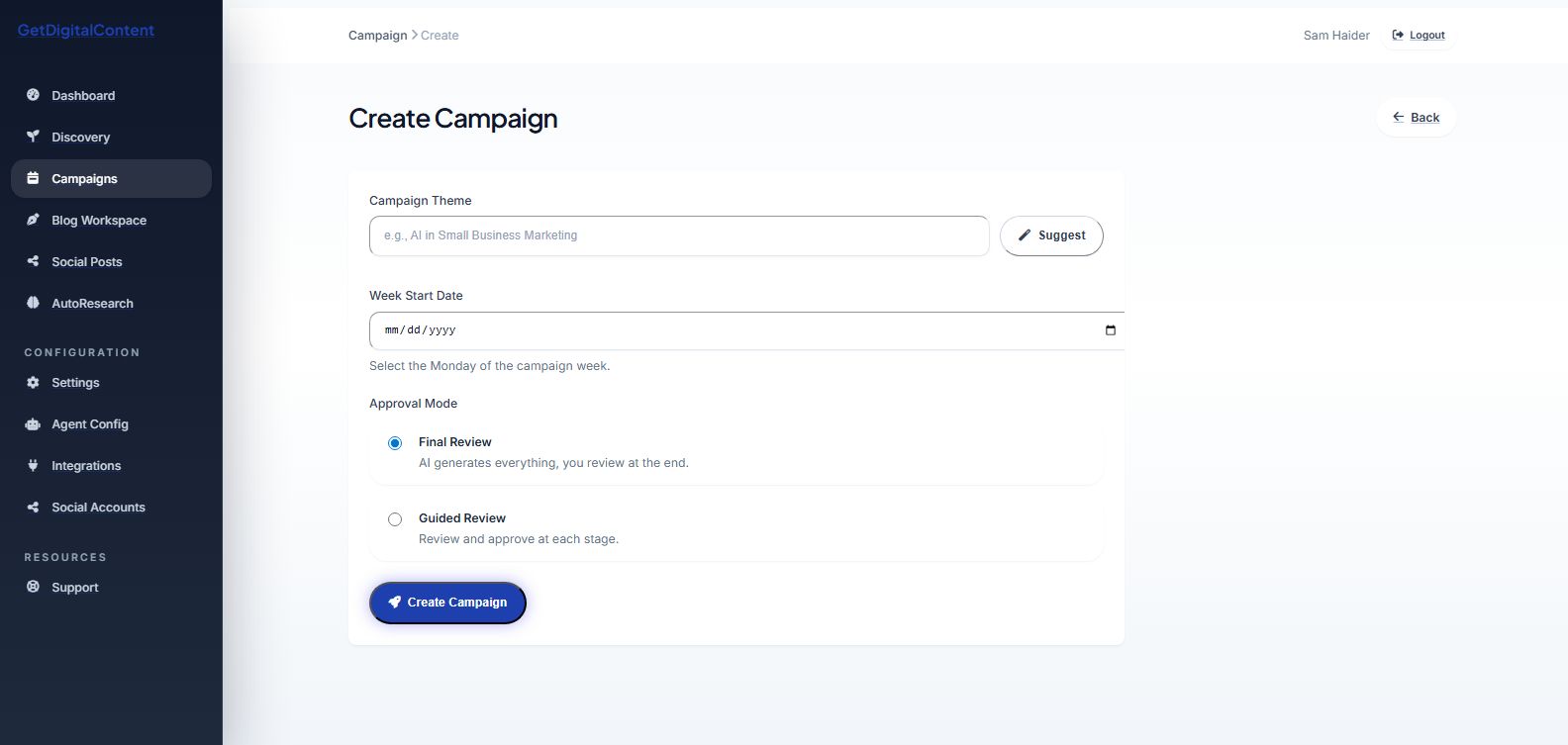
Enter the campaign theme.
3
Select the week start date.
4
Choose an approval mode.
5
Save to begin generation.
Screenshot Checklist
Feedback
Was this article helpful?
Your selection is saved in this browser so you can quickly rate support content as you work.
Keep Going
Related Articles
Understanding Campaign Themes and AI Suggestions
Choose stronger themes that give the content engine a clear strategic direction.
Open articleChoosing an Approval Mode
Decide whether you want a guided review process or a final-review workflow.
Open articleViewing Campaign Details
Use the detail page to monitor blogs, social posts, and campaign readiness.
Open article
What Is a Campaign?
Next
Understanding Campaign Themes and AI Suggestions